.png)


Social Auto Replies let an assigned Agentic Team respond to supported private and public interactions for each connected social account. The settings are controlled per integration, so you can choose a different team and different automation modes for different accounts.
Connecting an account does not turn on replies automatically. You must select an Agentic Team and then enable the interaction types you want Cavaco to handle.
How Social Auto Replies Work
Go to Social → Auto Replies. The Settings tab shows eligible connected Facebook, Instagram, and X integrations. Use All Integrations to filter the cards by platform.
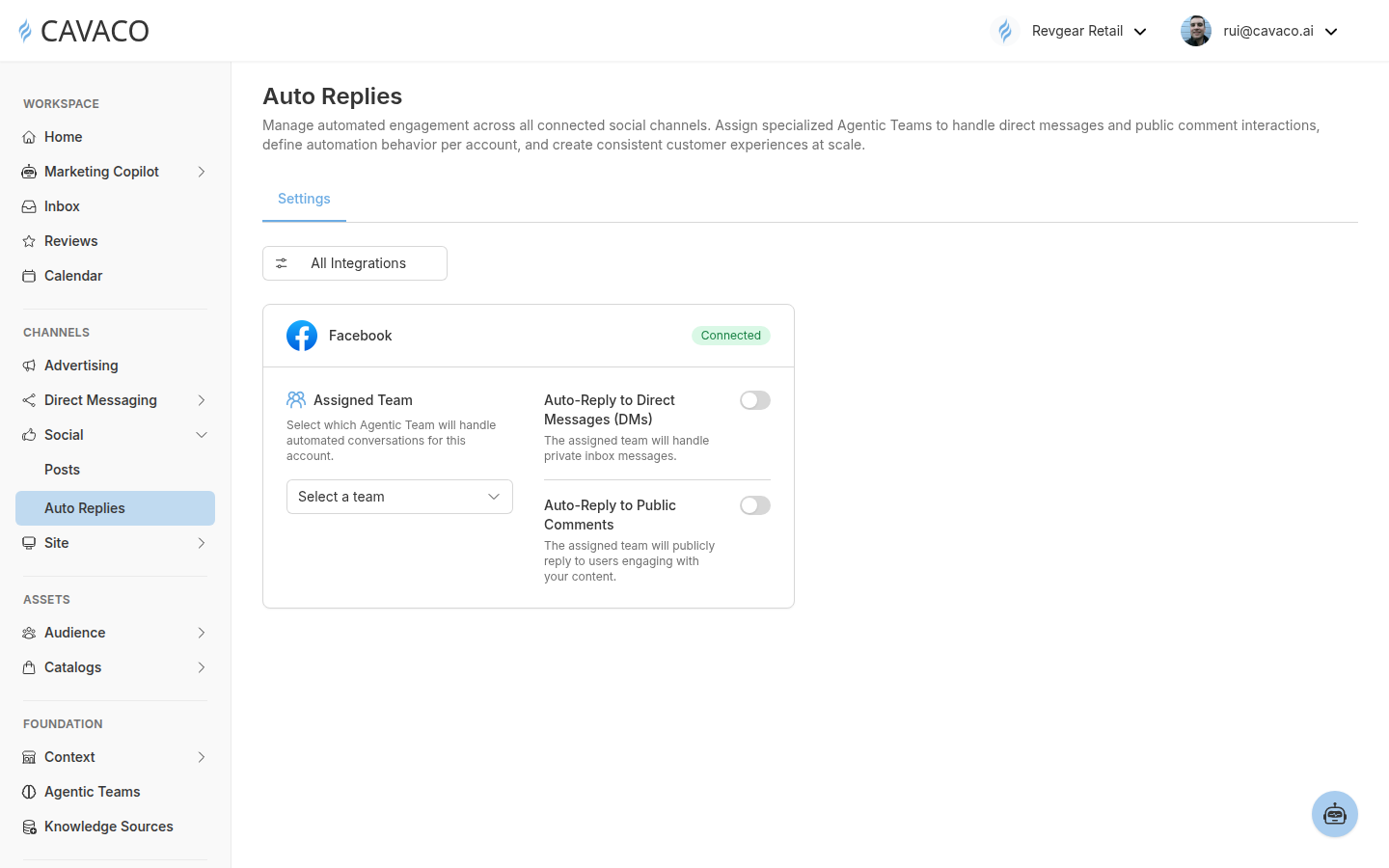
Each connected account has its own Agentic Team assignment and independent private and public automation controls.
Each integration card has an Assigned Team selector and two automation modes:
| Platform | Private automation | Public automation |
|---|---|---|
| Direct messages | Public comments | |
| Direct messages | Public comments | |
| X | Direct messages | Mentions and replies |
Before you begin
Complete these prerequisites before enabling automation:
- Connect the Facebook, Instagram, or X account in Settings → Integrations.
- Create or review at least one team in Foundation → Agentic Teams.
- Open the team’s members and test its identity, knowledge, intents, fallback behavior, audience assignments, and schedules before using it on a customer-facing account.
Instagram uses Meta’s business connection flow. The Instagram account must be a professional account linked directly to a Facebook Page that the authorizing Meta user can access. A personal Instagram account cannot be connected directly.
Assign a Team and Enable the Right Interactions
Open the card for the connected account and select Select a team. Choose the Agentic Team whose role and instructions match the customer experience you want for that account.
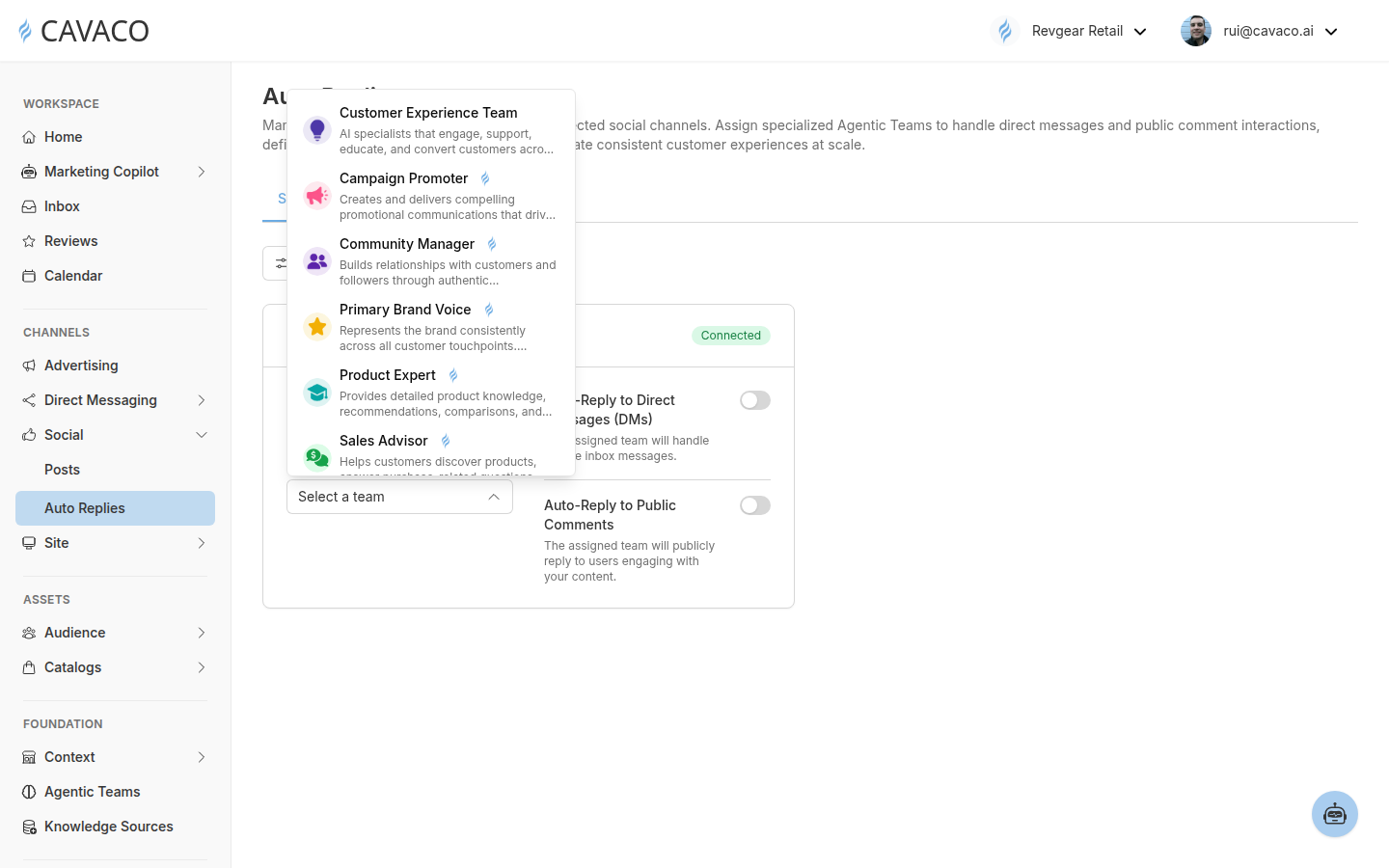
Select a reusable Agentic Team, then enable private and public automation independently.
A Community Manager is a relevant starting point for social engagement, but it is not required. You can use another team when its identity, knowledge, audience routing, or business purpose is a better match.
Enable direct-message replies
Turn on Auto-Reply to Direct Messages (DMs) when you want the assigned team to handle private messages for that connected account. Keep the switch off if private conversations should remain manual.
Enable public replies
Turn on Auto-Reply to Public Comments for Facebook or Instagram when you want the team to respond publicly to comments. For X, the corresponding public mode handles mentions and replies. Keep the switch off when public engagement should remain manual.
The current controls apply to the entire connected integration. Cavaco does not currently expose a documented per-post auto-reply switch in this settings flow.
What happens when someone engages on Instagram
For an enabled Instagram integration, Cavaco ignores messages and comments created by the connected brand account itself. For an external customer, Cavaco creates or reuses the relevant conversation, asks the assigned Agentic Team to prepare a response, sends the response through Instagram, and records the outgoing reply. Public responses are attached to the source comment.
Test before expanding automation
Start with one integration and one reply mode. Send a controlled test DM or add a test comment from an external account, review the response, and adjust the Agentic Team if needed. After the behavior is correct, enable the second interaction type or additional integrations.
Troubleshooting
| Issue | What to check |
|---|---|
| The integration is not listed | Confirm the account is connected in Settings → Integrations and is a supported Facebook, Instagram, or X integration. |
| The automation switches cannot be enabled | Select an Agentic Team first. |
| Instagram cannot be connected | Confirm the Instagram account is professional, linked directly to an accessible Facebook Page, and authorized through the current Meta flow. |
| Replies stop after previously working | Review the integration status and reconnect it if Meta or X access has expired or been revoked. |
| The response does not match the brand | Test and update the assigned team’s identity, knowledge, intents, fallback message, member routing, or schedules. |
Related articles
.png)