.png)


Content Blocks: Banners, Announcements & Promotions
Content Blocks allow you to broadcast important information, promotions, and alerts across your store without requiring the visitor to fill out a form. They are purely informational and highly flexible.
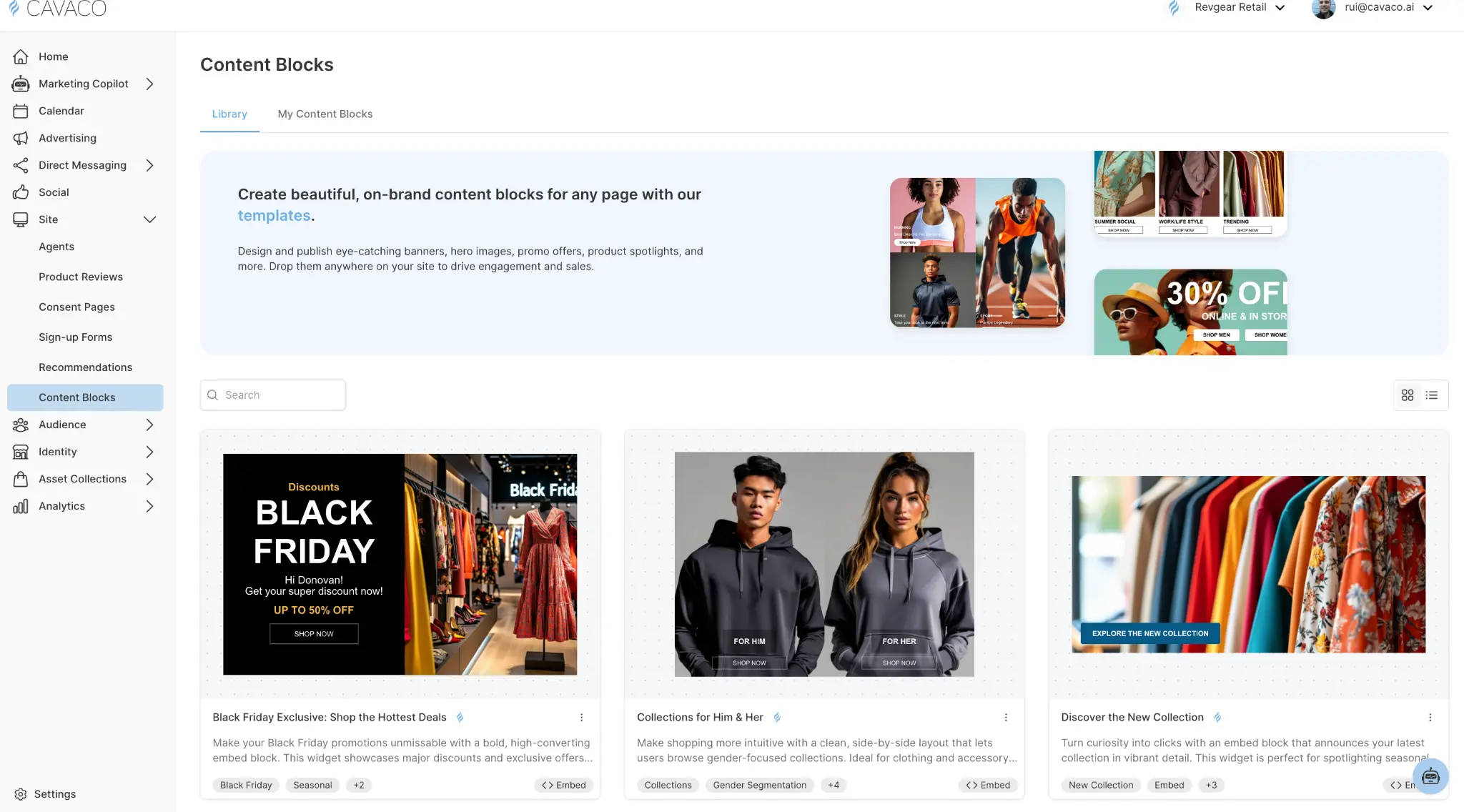
Common Use Cases for Content Blocks
Because they don't require user input, Content Blocks are perfect for:
- Free Shipping Thresholds: "Spend $50 more for Free Shipping!"
- Flash Sales: "48 Hour Sale: 20% off all Outerwear."
- Operational Alerts: "Holiday shipping cutoff is December 15th."
- Age Gates: A full-page interstitial asking "Are you over 21?"
Display Formats for Content
The Announcement Banner
The most common use of a Content Block is the top or bottom banner. Cavaco AI allows you to configure banners to:
- Scroll with the page: The banner moves out of view as the user scrolls down.
- Sticky: The banner remains fixed to the top or bottom of the viewport at all times.
- Dismissible: Allow visitors to click an "X" to close the banner, freeing up screen space.
The Full-Page Interstitial
For critical information that a user must acknowledge before browsing (like an age gate or region selector), use the Full Page display format. This takes over the screen and requires interaction (like clicking an "Enter Site" button) to proceed.
Adding Dynamic Elements
Cavaco AI's Content Blocks support rich components beyond just text:
- Countdown Timers: Create urgency for flash sales by embedding a live countdown timer directly into a banner or flyout.
- Action Buttons: Include buttons that link to specific collections, products, or external URLs.
- Images & Icons: Enhance your message with brand assets or contextual icons (e.g., a shipping truck icon next to a shipping announcement).
Scheduling Content Blocks
Content Blocks are heavily utilized during promotional calendars. Using Cavaco AI's Routing & Scheduling features, you can build your Content Blocks in advance and set them to go live automatically.
For example, you can build a "Black Friday Starts Now" banner in October, set its schedule to begin at 12:00 AM on Black Friday, and set it to automatically disable at 11:59 PM on Cyber Monday. No midnight manual publishing required.
.png)