.png)


What Are Segments?
Segments are dynamic groups of contacts defined by rules you set. Unlike static lists, segments automatically update as contacts meet or no longer meet the criteria — so a "High-Value Customers" segment always contains your current top buyers without manual updates.
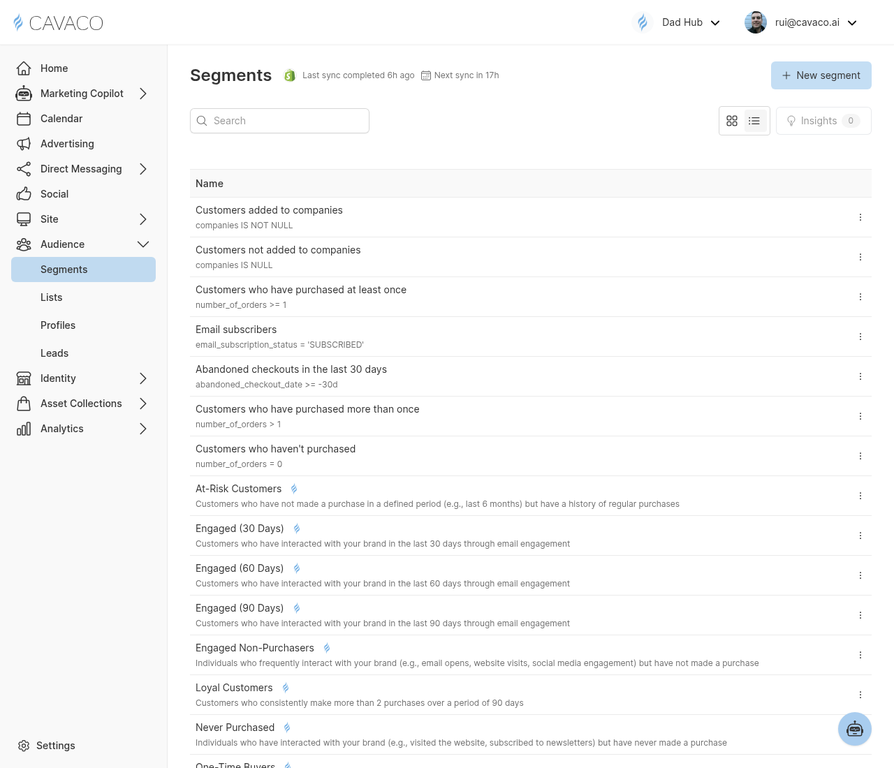
The Segments page shows all your audience segments with their current contact counts.
Creating Your First Segment
Navigate to Audience > Segments and click New Segment. The segment builder lets you combine conditions using AND/OR logic. Available condition types include:
- Purchase behavior — Total spend, order count, last purchase date, specific products bought
- Email engagement — Opened, clicked, or ignored specific campaigns
- Site behavior — Visited specific pages, viewed products, abandoned cart
- Contact properties — Location, subscription status, custom attributes
- Predictive — AI-predicted churn risk, lifetime value tier, purchase likelihood
Recommended Starter Segments
- VIP Customers — Top 10% by lifetime value
- At-Risk Customers — High-value customers who haven't purchased in 60+ days
- New Subscribers — Signed up in the last 30 days, no purchase yet
- Cart Abandoners — Added to cart in the last 7 days, no purchase
Using the AI Segment Creator
Not sure how to configure the filter logic? Use the AI Create button and describe your target audience in plain English. The AI will automatically translate your description into the correct segment conditions.
.png)