.png)


What Is a Flyout Widget?
A flyout is an on-site widget that slides in from the edge of the screen — typically the bottom-right corner or the side — without covering the main page content. Flyouts are less intrusive than pop-ups and are ideal for persistent offers and ongoing promotions.
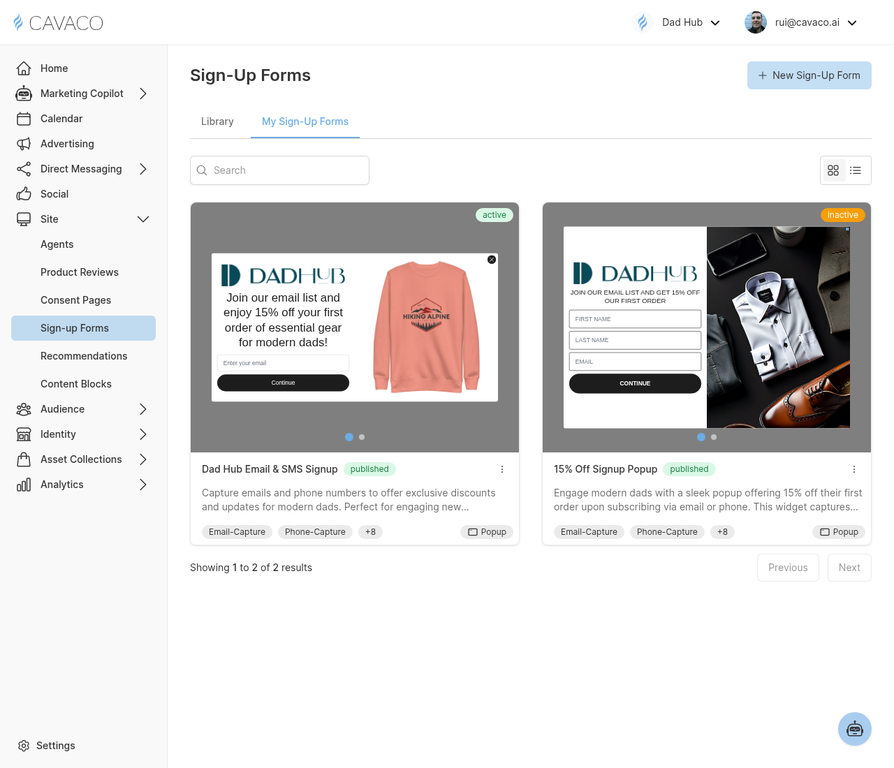
Flyout widgets are created from the Sign-up Forms section alongside pop-ups and embedded forms.
Creating a Flyout Widget
Navigate to Site > Sign-up Forms and click New Widget. Select Flyout as the widget type. The flyout builder lets you configure position (bottom-right, bottom-left, or side panel), trigger (time on page, scroll depth, or page exit), content (headline, body copy, form fields, and CTA button), optional offer (discount code or lead magnet), and design (colors, fonts, and layout inherited from your brand theme).
When to Use a Flyout vs. a Pop-up
Use a flyout when you want to offer a persistent CTA without interrupting the browsing experience. Use a pop-up when you need maximum visibility for a time-sensitive offer or exit-intent capture. Many brands use both: a flyout for ongoing promotions and a pop-up for exit-intent recovery.
Flyout Performance
Flyouts typically have lower conversion rates than pop-ups (because they're less intrusive) but higher engagement quality — contacts who sign up via a flyout tend to have higher open rates and lower unsubscribe rates because they opted in more deliberately.
.png)