.png)


Overview
SMS campaigns have some of the highest open rates in marketing — typically 90%+ within the first 3 minutes of delivery. This guide walks you through sending your first SMS campaign in Cavaco.
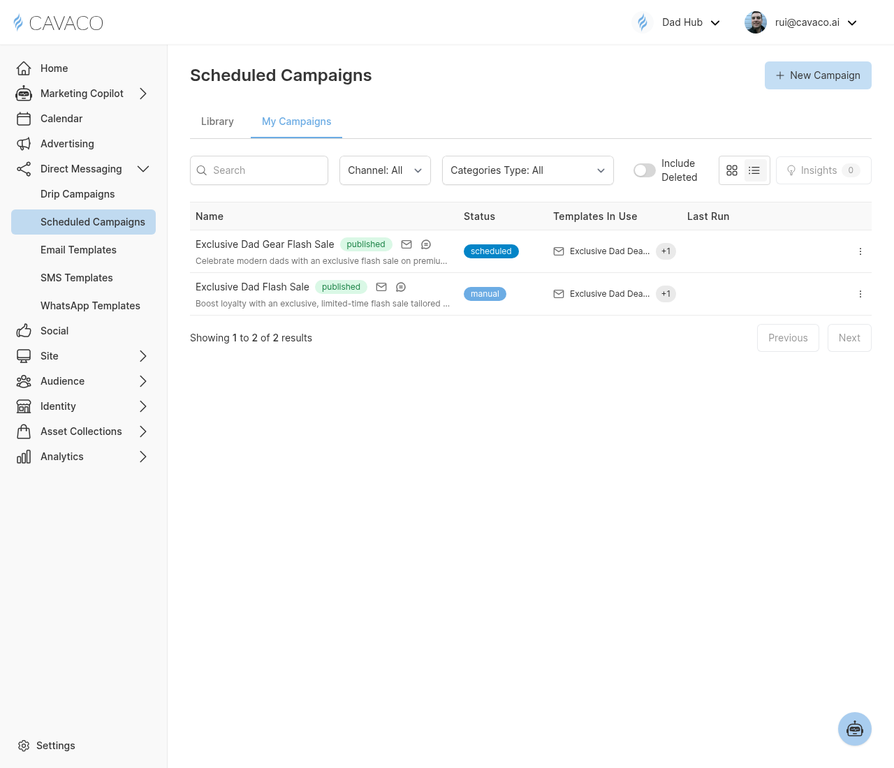
Create an SMS campaign from the Scheduled Campaigns page.
Before You Send
Before sending your first SMS campaign, ensure you have:
- Completed 10DLC registration (US only) — required by carriers
- A list of contacts who have explicitly consented to receive SMS from you
- Configured quiet hours in Settings > Channels > SMS
Creating an SMS Campaign
Navigate to Direct Messaging > Scheduled Campaigns and click New Campaign. Select SMS as the channel. Write your message — keep it concise (under 160 characters to avoid multi-part messages), include your brand name, and add a clear CTA with a link.
SMS Best Practices
- Always identify your brand at the start of the message (e.g., "BrandName: ...")
- Include opt-out instructions in the first message of any new sequence ("Reply STOP to unsubscribe")
- Keep messages under 160 characters when possible
- Send during business hours (10 AM – 7 PM in recipient's time zone)
- Limit frequency to 2–4 messages per month for promotional SMS
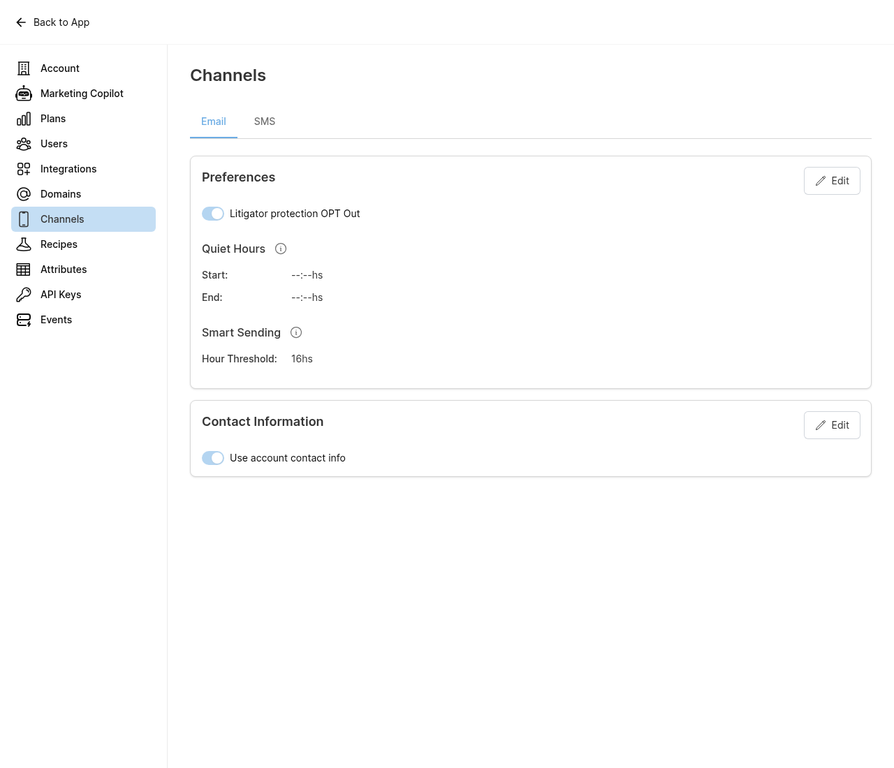
Configure SMS settings including quiet hours and compliance options before sending.
.png)