.png)


Successful advertising is about driving business results, not managing complex ad groups. Cavaco AI's Advertising module abstracts away the complexity of Meta and Google Ads, allowing you to launch, manage, and measure campaigns based on your actual business objectives and first-party data.
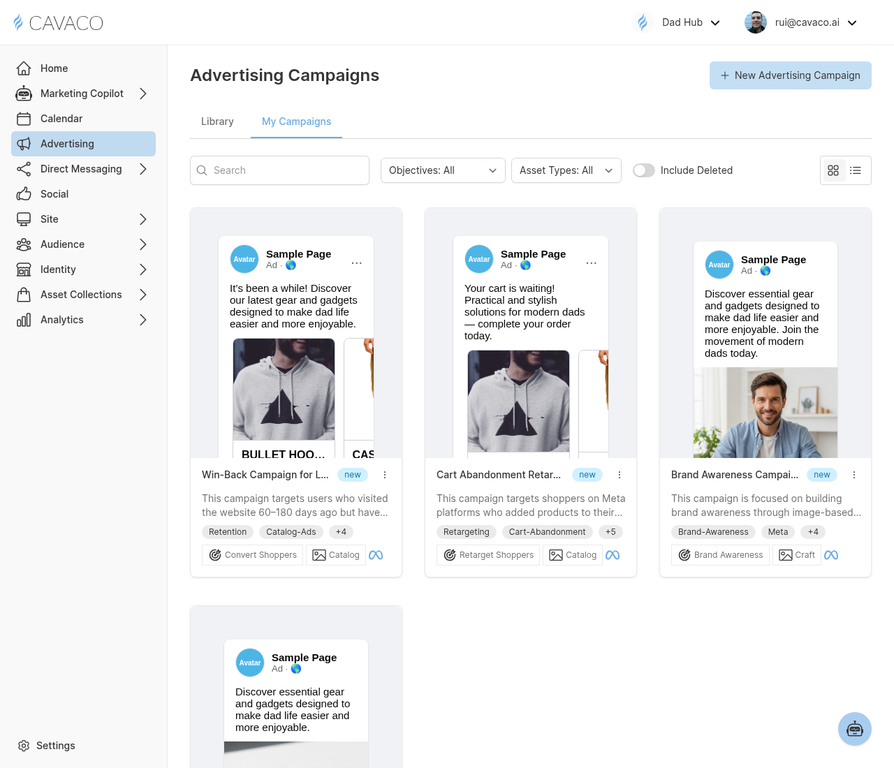
1. Objective-Driven Advertising
Instead of starting with technical settings, Cavaco AI asks what you want to achieve. Every campaign is built around one of six core objectives:
- Acquire Customers: Find net-new buyers who look like your best customers.
- Retarget Shoppers: Bring back users who browsed your site or abandoned their carts.
- Convert Shoppers: Drive immediate sales from high-intent audiences.
- Drive Traffic: Maximize visits to your storefront or a specific landing page.
- Brand Awareness: Maximize reach and ad recall among your target demographic.
- Promote Offer: Highlight a specific sale, discount code, or seasonal event.
2. Audience Targeting with Your Customer Data
When building a campaign in Cavaco AI, you can target audiences that already exist in your connected Meta or Google Ads account — including any Custom Audiences or Customer Match lists you have set up there. This means the customer data and segments you manage in your ad platforms are available directly inside the Cavaco campaign editor, without switching tools.
3. Campaign Creation Modes
Cavaco AI provides three ways to build campaigns, catering to different workflows:
- Assisted Creator: Tell the Marketing Copilot what you want to do, and it builds the campaign for you.
- The Ad Library: Start from a proven, pre-built template that adapts to your brand.
- Manual Creation: Build the campaign from scratch with full granular control.
4. Understanding Campaign Statuses
As you manage your campaigns, you'll see them move through several lifecycle statuses in the dashboard:
- Draft: The campaign is being built and hasn't been submitted yet.
- Pending: The campaign has been submitted to the ad network (Meta/Google) and is awaiting approval.
- Scheduled: The campaign is approved but the start date is in the future.
- Running: The campaign is currently active and spending budget.
- Paused: The campaign has been manually stopped.
- Completed: The campaign has reached its scheduled end date.
- Error: There is an issue with the campaign (e.g., rejected creative, billing issue) that requires your attention.
5. Cross-Channel Attribution
Because Cavaco AI manages your emails, SMS, and ads, it provides true cross-channel attribution. When viewing your campaign analytics, the revenue attributed to an ad campaign sits in the same reporting ecosystem as your email revenue. This prevents the "double-counting" that happens when Meta and Google both claim credit for the same sale.
.png)