.png)


Product Reviews Overview
Cavaco's product review system lets you collect, manage, and display customer reviews directly on your product pages. Reviews are a powerful form of social proof that increase conversion rates and build trust with new visitors.
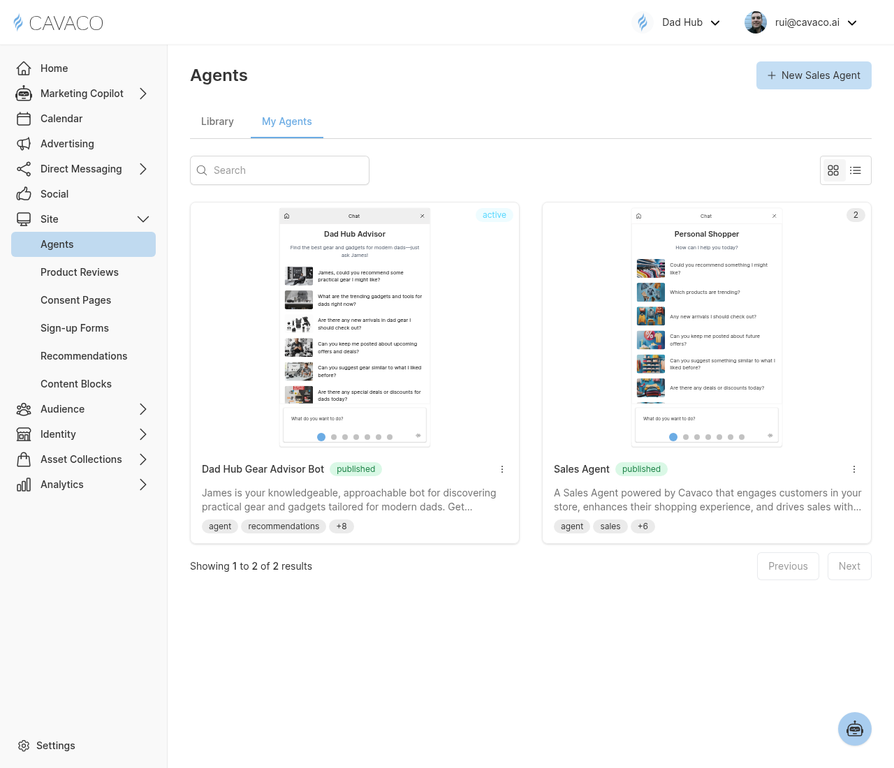
The Site section includes product review management alongside AI agents and on-site widgets.
Enabling Product Reviews
Navigate to Site > Product Reviews and toggle on the product review feature. Configure the review request settings: how many days after purchase to send the review request email, which fields to include (star rating, written review, photo upload), whether to auto-publish all reviews or require manual approval, and where and how reviews appear on your product pages.
Review Request Emails
Cavaco automatically sends review request emails to customers after their order is delivered. The email is personalized with the specific products they purchased and includes a direct link to submit their review. You can customize the email template in Direct Messaging > Email Templates.
Displaying Reviews on Your Site
For Shopify stores, Cavaco provides a theme block that you can add to your product page template. For other platforms, embed the review widget using the JavaScript snippet from Settings > Domains.
.png)