.png)


Drip Campaign Triggers Overview
Triggers are the events that start a drip campaign sequence. Choosing the right trigger ensures your automated messages reach customers at the most relevant moment in their journey.
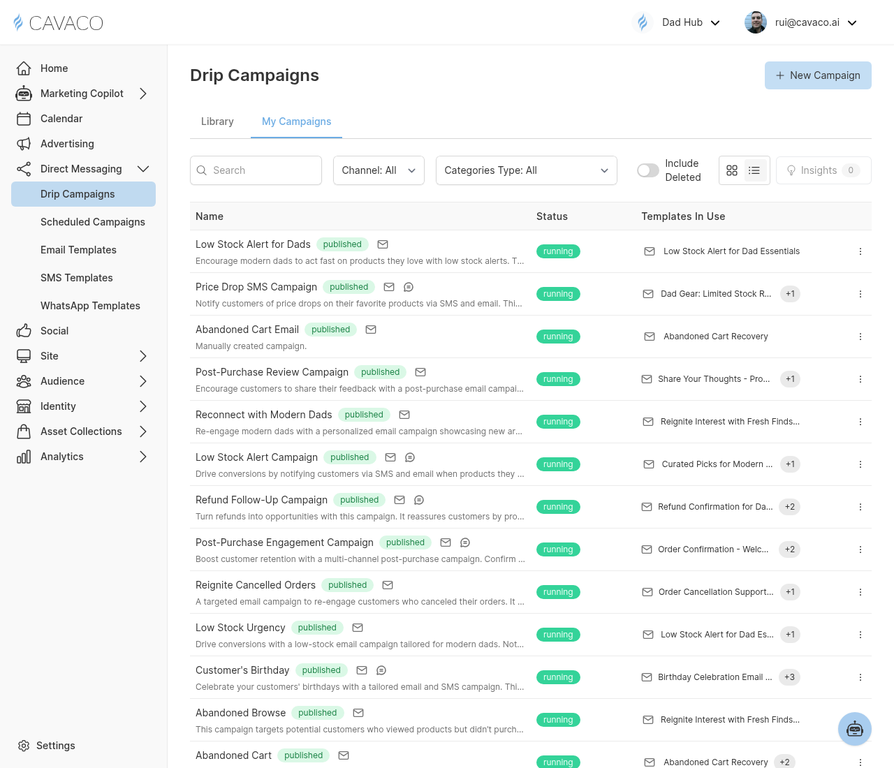
The Drip Campaigns page shows all your automated sequences and their trigger types.
Customer Lifecycle Triggers
- New Subscriber — Contact submits a sign-up form or is added to your list
- First Purchase — Contact makes their first order
- Repeat Purchase — Contact makes their Nth order (configurable)
- Customer Anniversary — X days/months since the contact's first purchase
- Birthday — Contact's birthday (requires birthday field in profile)
Shopping Behavior Triggers
- Abandoned Cart — Contact adds items to cart but doesn't complete checkout within X hours
- Browse Abandonment — Contact views a product page but doesn't add to cart
- Product Back in Stock — A product the contact viewed is back in stock
- Price Drop — A product the contact viewed has decreased in price
Engagement Triggers
- Email Opened — Contact opens a specific campaign
- Email Clicked — Contact clicks a specific link in a campaign
- Segment Entry — Contact enters a specific segment
- Segment Exit — Contact leaves a specific segment
.png)