.png)


What Are Scheduled (Time-Sensitive) Campaigns?
Scheduled campaigns are messages sent to a specific audience at a specific date and time. Unlike drip campaigns which are triggered by behavior, scheduled campaigns are planned in advance — perfect for promotions, announcements, and seasonal events.
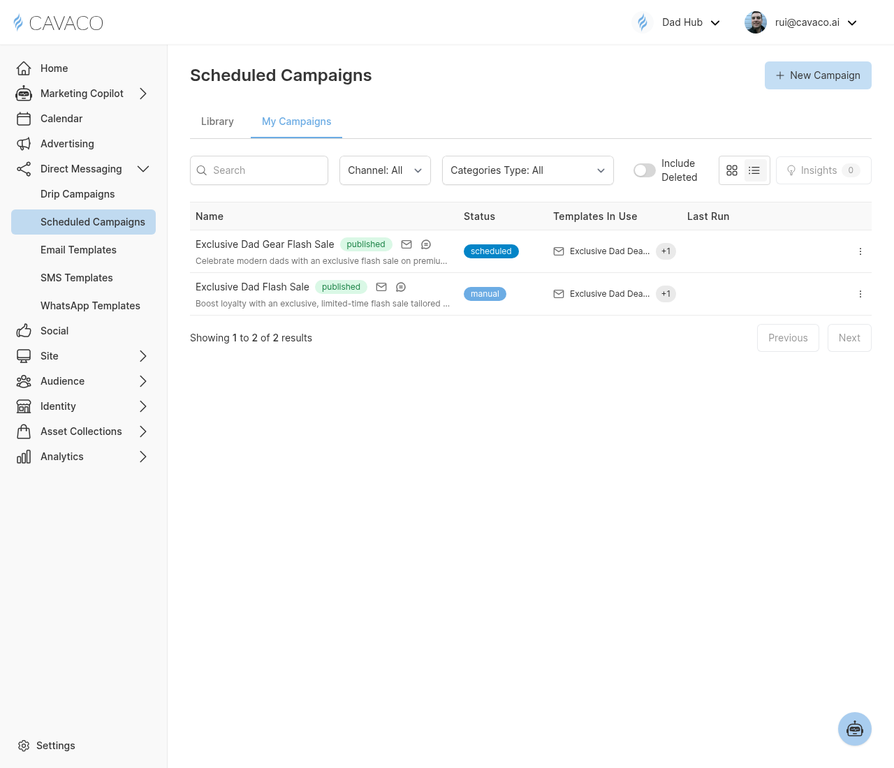
The Scheduled Campaigns page shows all your upcoming and past one-time campaign sends.
Creating a Scheduled Campaign
Navigate to Direct Messaging > Scheduled Campaigns and click New Campaign:
- Choose channel — Email, SMS, or both
- Select audience — Pick a segment or build a custom filter
- Create content — Write your message or select from templates
- Schedule — Set the exact date and time to send
- Review — Check estimated reach and preview the message
- Confirm — Schedule or send immediately
Smart Sending
Cavaco's Smart Sending feature automatically optimizes delivery timing within a window you specify. Instead of sending all messages at exactly 10:00 AM, Smart Sending staggers delivery to avoid server spikes and can send each contact at their personal optimal engagement time based on historical open data.
Best Practices for Promotional Campaigns
Send promotional campaigns on Tuesday, Wednesday, or Thursday for the best open rates. Avoid Monday mornings (inbox overload) and Friday afternoons (pre-weekend disengagement). Always send a test email to yourself before scheduling the live send.
.png)