.png)


1. Connecting Your ChatGPT Ads Account
Before you can launch ChatGPT ads, you must connect your OpenAI Ads account to Cavaco AI. It is critical to note that a ChatGPT Ads API key is different from a standard OpenAI developer API key. You must generate it specifically from the OpenAI Ads Manager.
How to Generate Your API Key
Connecting the Key in Cavaco AI
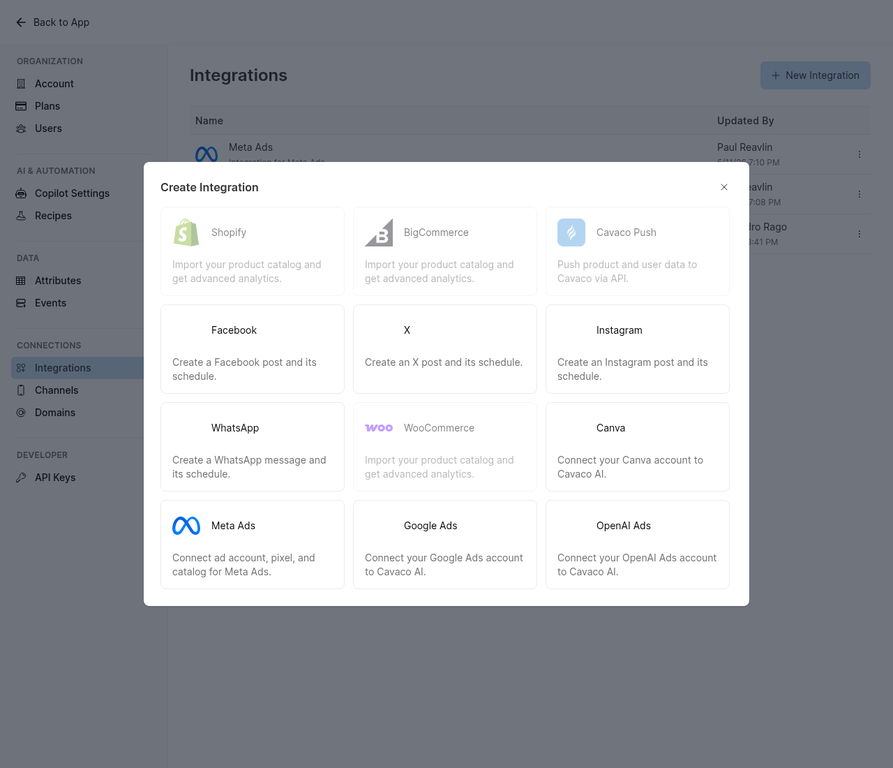
The Integrations screen showing all available advertising platform connections.
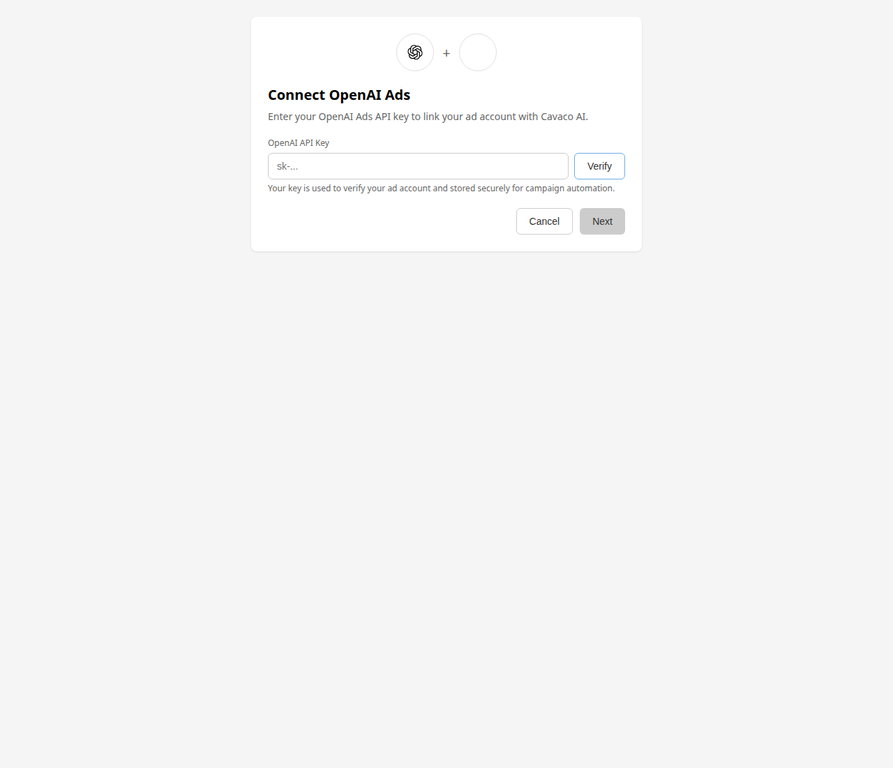
Entering your ChatGPT Ads API key and verifying the connection.
2. Method 1: Creating a New Ad Campaign
The most direct way to launch an ad is by creating a new campaign from the Advertising section. When you click + New Advertising Campaign, you are presented with three paths:
Build with Copilot
This is the fastest method. You use natural language prompts to describe your goal (e.g., "Create a ChatGPT ad to acquire new customers for our summer collection"). The AI will automatically generate the campaign structure, select the appropriate targeting, and write the creative copy.
Create from Scratch
If you prefer full manual control, you can use the step-by-step builder. You will be prompted to:
Note: ChatGPT campaigns use a streamlined targeting structure compared to platforms like Meta or Google, meaning you do not need to configure complex age or demographic requirements.
Pre-Generated by Copilot
The Marketing Copilot proactively builds campaigns based on your store's data. You can browse these pre-generated campaigns and activate them immediately without having to write prompts or build from scratch.
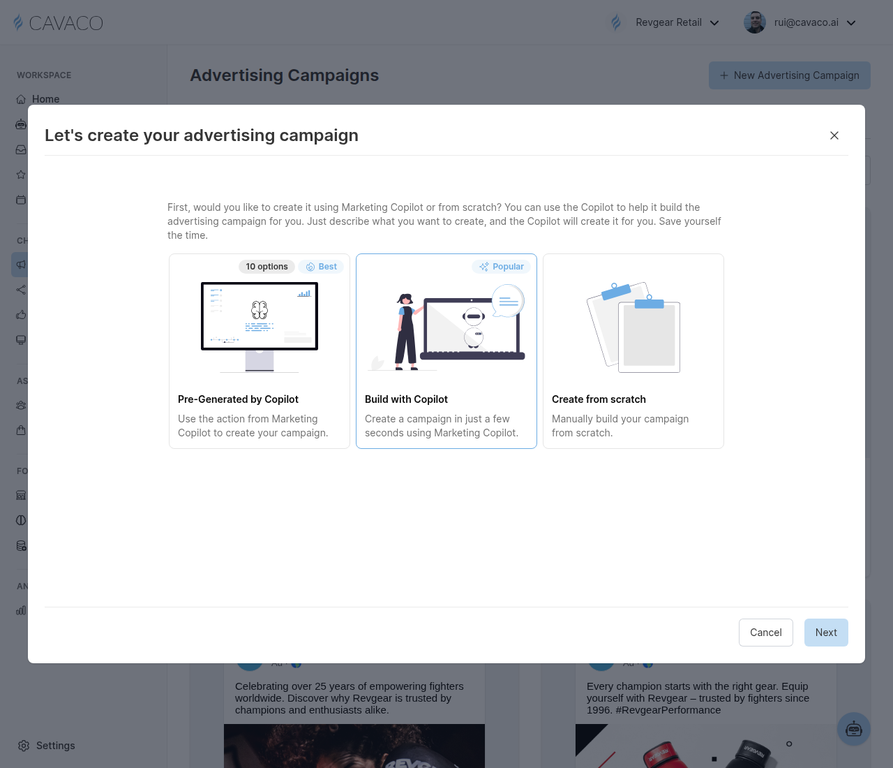
The campaign creation modal with three paths: Pre-Generated by Copilot, Build with Copilot, and Create from Scratch.
3. Method 2: Adapting from the Ads Library
Cavaco AI provides an extensive Ads Library filled with proven, high-converting templates. You can easily adapt these templates for ChatGPT Ads.
When you select a template from the library, you have two primary options:
Before publishing an adapted campaign, you can use the Original vs. Adapted toggle view to compare the AI's changes against the base template and ensure everything aligns perfectly with your brand.
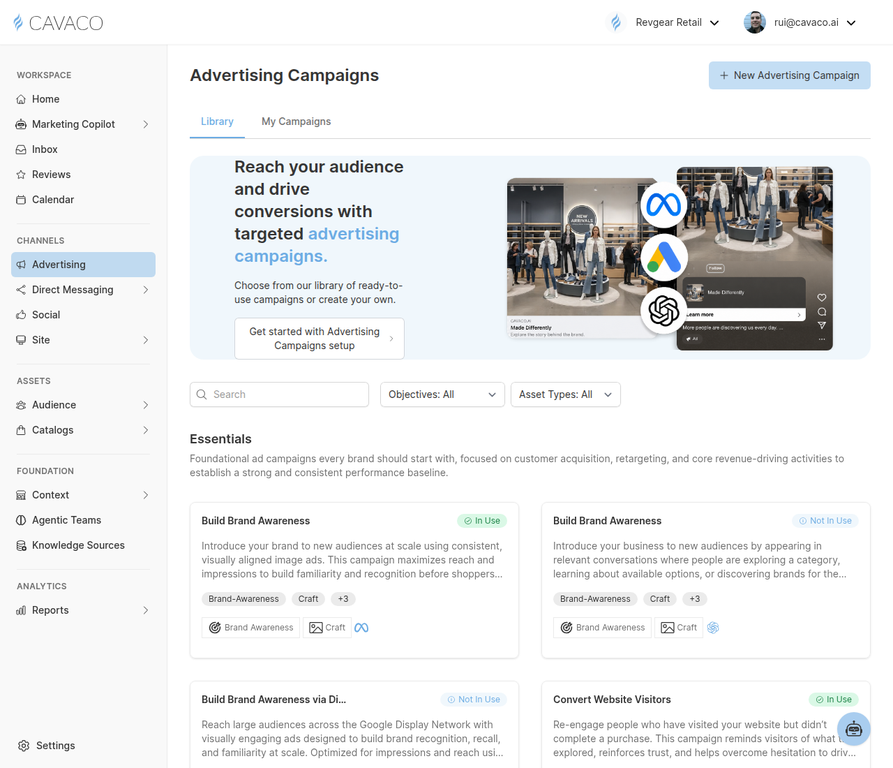
The Ads Library with categorized campaign templates ready to adapt.
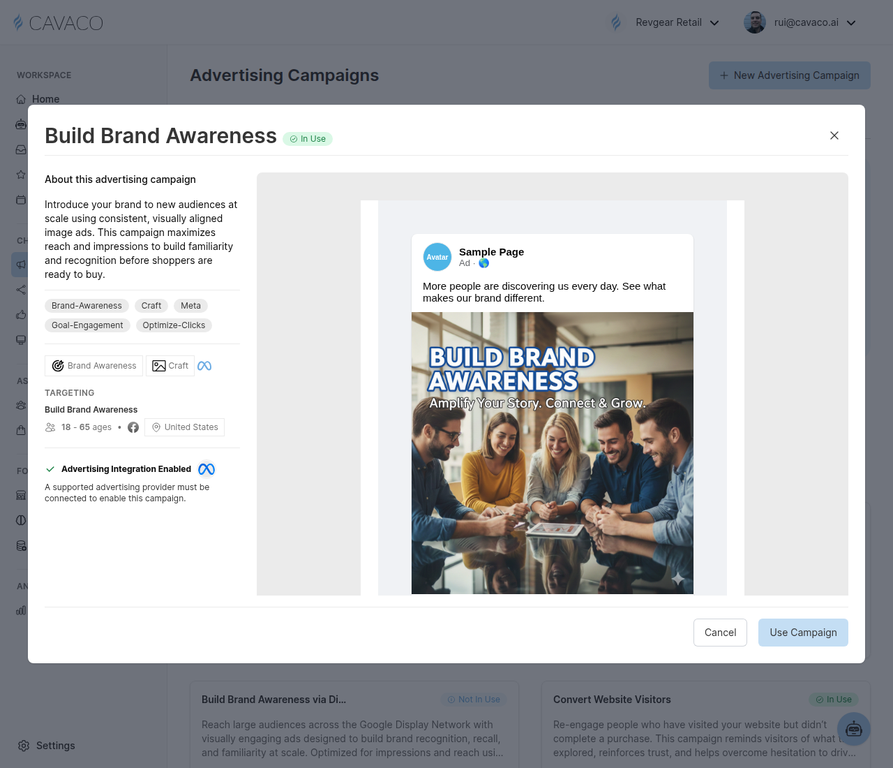
Previewing a template before adapting it — review the targeting, objectives, and ad preview.
4. Method 3: Copilot Actions
The Marketing Copilot works continuously in the background, analyzing your store's performance metrics, inventory, and customer behavior. When it identifies an opportunity, it generates actionable campaign suggestions.
By navigating to the Copilot Actions panel, you can review these proactive suggestions. If the AI recommends launching a ChatGPT ad to capitalize on a trending product, you can review the fully built campaign and launch it with a single click.
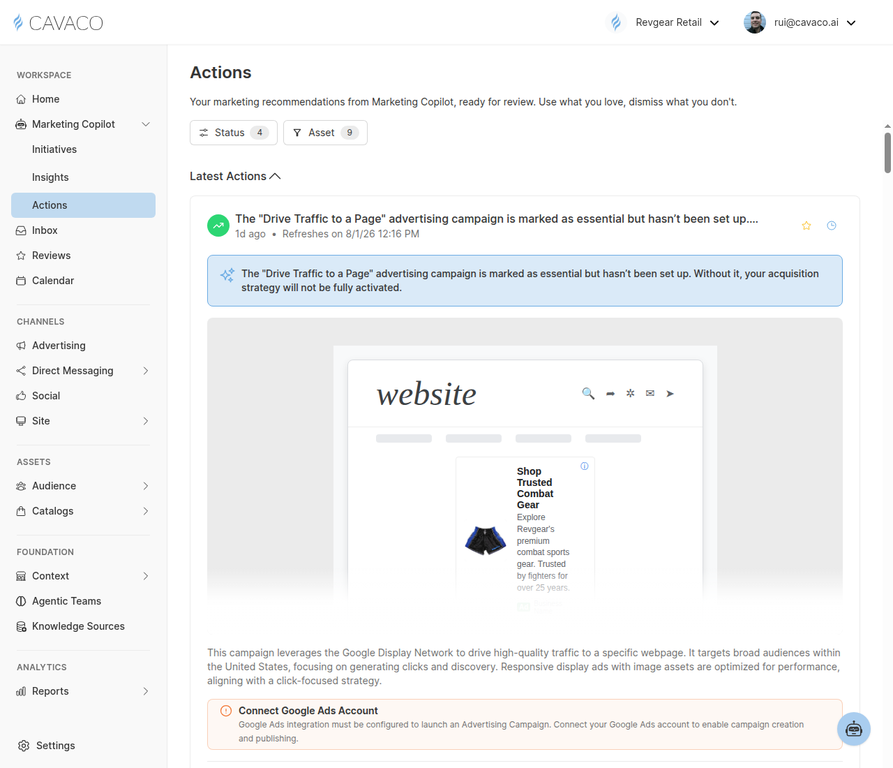
The Copilot Actions panel showing AI-generated campaign recommendations ready for review.
5. Method 4: Generating Ads via Initiatives
For broader marketing strategies, you can use Initiatives. An Initiative is a high-level container (such as "Launch Summer Sale" or "Clearance Event") that automatically generates all the necessary assets across multiple channels simultaneously.
How Initiatives Work:
This method ensures your ChatGPT ads are perfectly coordinated with your emails, SMS messages, and on-site widgets for a unified campaign launch.
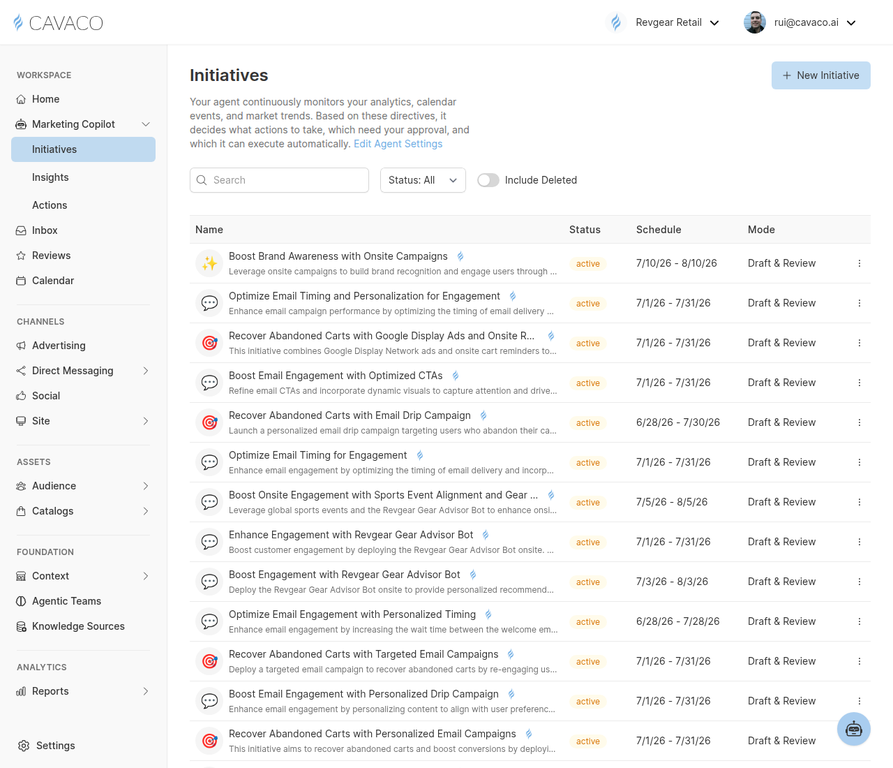
The Initiatives dashboard where the AI generates and coordinates campaigns across all channels.
.png)