.png)


Supported Platforms
Cavaco connects natively with the leading e-commerce platforms. Each integration pulls in your product catalog, order history, and customer data to power personalized campaigns and AI recommendations.
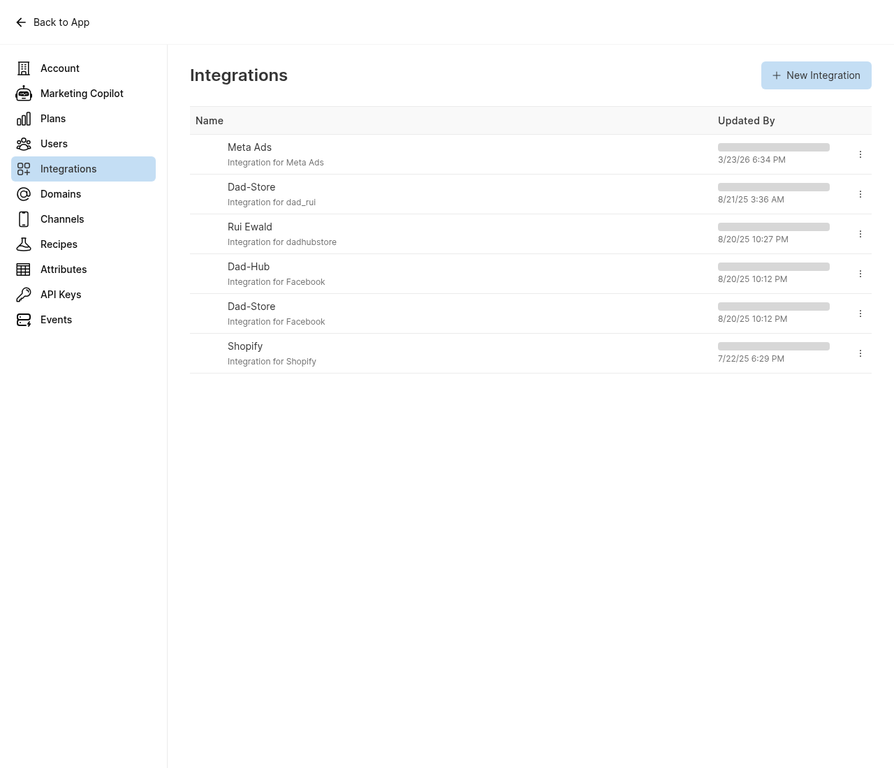
The Integrations page shows all connected platforms and allows you to add new ones.
Shopify Integration
To connect Shopify, navigate to Settings > Integrations and click New Integration > Shopify. You'll be redirected to Shopify's authorization page — approve the connection and Cavaco will begin syncing your store data. Initial sync typically takes 15–30 minutes.
BigCommerce Integration
For BigCommerce, navigate to Settings > Integrations > New Integration > BigCommerce. Enter your store URL and API credentials. Cavaco will verify the connection and begin syncing products, orders, and customers.
WooCommerce Integration
WooCommerce integration requires installing the Cavaco plugin from the WordPress plugin directory. After installation, enter your Cavaco API key in the plugin settings to establish the connection.
Meta Ads Integration
To run Meta ad campaigns through Cavaco, connect your Meta Business Manager account. Navigate to Settings > Integrations > New Integration > Meta Ads and authorize Cavaco to access your ad account.
.png)