.png)


What Are Drip Campaigns?
Drip campaigns are automated message sequences sent based on customer actions or triggers. They run 24/7 in the background, nurturing customers at exactly the right moment without manual intervention.
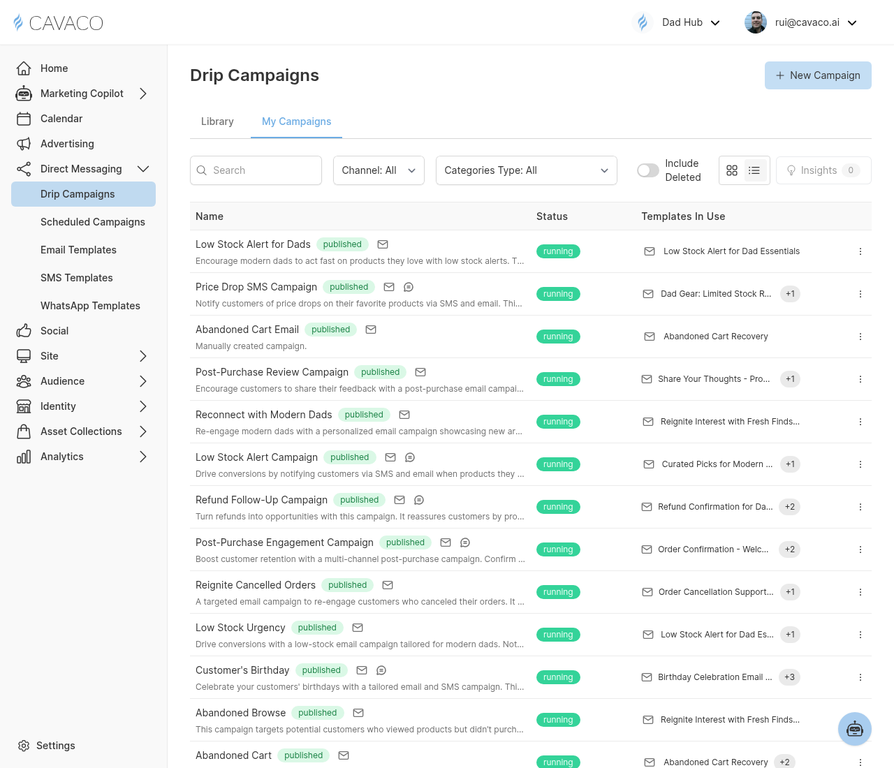
The Drip Campaigns page shows all your automated sequences with their current status and performance.
The Abandoned Cart Campaign
The abandoned cart campaign is the single highest-ROI automation for most e-commerce stores. It automatically sends a sequence of messages to customers who added items to their cart but didn't complete checkout.
Recommended Abandoned Cart Sequence
- Email 1 (1 hour after abandonment) — Gentle reminder with cart contents and a clear CTA to return to checkout
- Email 2 (24 hours after abandonment) — Address common objections (shipping cost, returns policy) and optionally include a small discount
- SMS (48 hours after abandonment) — Short, direct text message with a link back to their cart
Setting Up the Campaign
Navigate to Direct Messaging > Drip Campaigns and click New Campaign. Select Abandoned Cart as the trigger. Configure each step with your messaging, set the timing delays between steps, and add an exit condition so customers who complete their purchase are removed from the flow automatically.
Exit Conditions
Always add an exit condition: "Exit when contact makes a purchase." This ensures customers who convert don't receive the remaining recovery messages.
.png)