.png)


What Is the AI Segment Creator?
The AI Segment Creator lets you describe the audience you want to target in plain English, and Cavaco's AI automatically translates your description into the correct segment conditions. Instead of manually configuring complex filter logic, you simply describe who you're looking for.
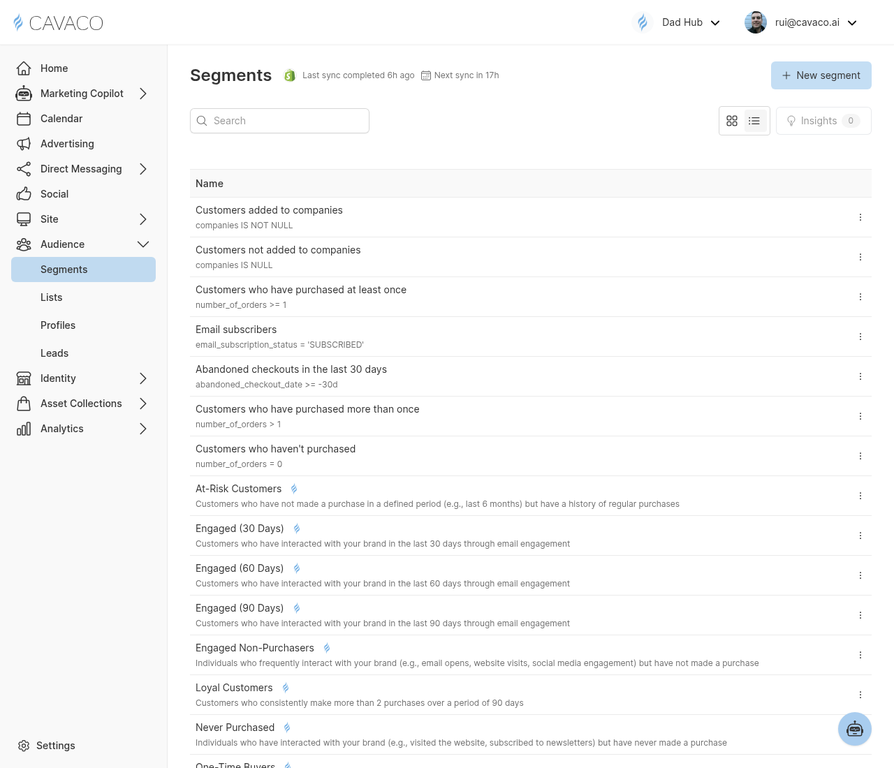
The AI Segment Creator is accessible from the Segments page.
How to Use It
Navigate to Audience > Segments and click New Segment. Select AI Create and type a natural language description of your target audience. Examples:
- "Customers who spent over $500 in the last 90 days but haven't bought anything in the last 30 days"
- "New subscribers who signed up in the last 2 weeks and haven't made a purchase yet"
- "Customers who bought from the Men's Apparel category at least twice"
- "High-value customers at risk of churning based on their engagement decline"
Reviewing AI-Generated Conditions
After the AI generates the segment conditions, review them carefully before saving. The AI shows you the exact filter logic it created in plain English — confirm it matches your intent. You can manually adjust any condition before saving.
Segment Size Preview
Before saving, Cavaco shows you the estimated segment size — how many contacts currently match the conditions. If the segment is too large or too small, refine your description and regenerate.
.png)