.png)


Your Audience in Cavaco
The Audience module is where you manage all the people who interact with your brand — subscribers, customers, and prospects. Cavaco builds a unified profile for each person by combining data from your store, your email and SMS campaigns, and your website.

The Profiles page shows all contacts with their unified behavioral and purchase data.
Contacts vs. Segments
In Cavaco, Contacts (also called Profiles) are individual people in your database. Segments are dynamic groups of contacts defined by shared characteristics. You manage individual contacts in the Profiles view and create groups in the Segments view.
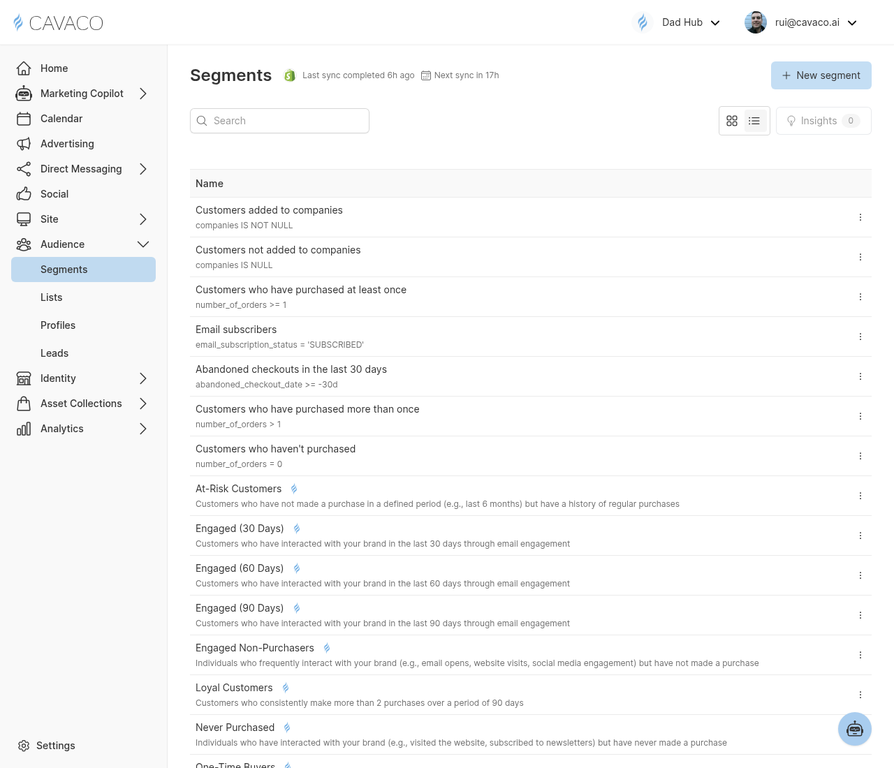
The Segments page shows all your audience segments with their current contact counts.
How Contacts Enter Cavaco
Contacts are added to Cavaco through several paths: purchasing from your connected store, submitting a sign-up form on your website, being imported via CSV, or being added manually. Cavaco automatically deduplicates contacts — if the same person subscribes via a form and then makes a purchase, their records are merged into a single unified profile.
AI-Powered Audience Insights
Cavaco's AI continuously analyzes your audience and surfaces insights about customer behavior, purchase patterns, and engagement trends. These insights appear in the Marketing Copilot and inform the AI's campaign recommendations.
.png)